
WhatsApp Status Video Enhancer: Convert, Optimize and Download WhatsApp-Ready Videos Online
WhatsApp Status Video Enhancer
Upload a video — we convert it to WhatsApp-ready MP4 (720×1280, H.264).
Drag & drop your video here
or
When posting a video to WhatsApp Status and it comes out blurry, rejected or laggy, it’s a deal breaker. This is where our WhatsApp Status Video Enhancer tool comes in handy, and it fixes this issue in a jiffy. Upload your video file, and the tool automatically does the video to the proper MP4 converter, resolution, codec and dimensions for WhatsApp.
No editing software, no technical knowledge and no sign-up required! This free video converter for WhatsApp can make any video work in seconds, whatever the situation, either you’re stuck with an unsupported video or it’s a poor quality video.
How to use Our WhatsApp Status Video Enhancer
This tool offers guidance on how to use it. Let’s take a quick look at how to make WhatsApp DP resize in a few easy steps.
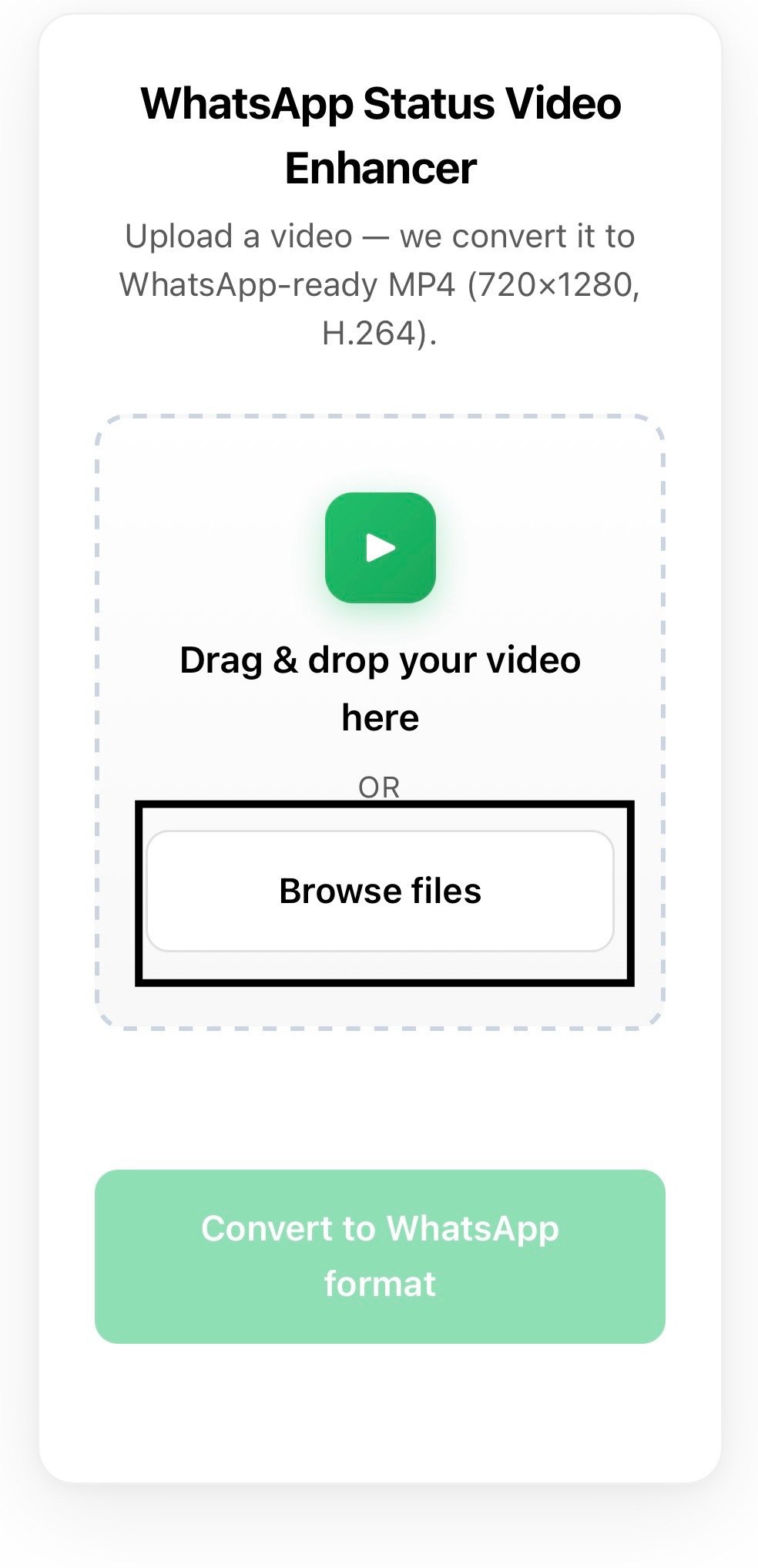
Drag and drop your video, or click on browse files.
Drag and drop or click to upload a video file directly into the upload area.
To start processing, click on “Convert to WhatsApp Format”.
The tool automatically optimizes your video for resolution, codec and dimensions.
Get your enhanced WhatsApp Video and upload it right to WhatsApp Status.
How to Use the WhatsApp Status Video Enhancer
📤 How to Upload Your Video for WhatsApp Conversion
Place a video in the upload box or click browse to choose a video from your computer. The tool supports popular video formats and automatically optimizes your video for WhatsApp Status on both mobile and desktop devices.
⚙️ What Happens After You Upload
The tool checks your video format, resolution, and codec automatically. It adjusts everything according to WhatsApp Status requirements without manual settings or confusing technical steps.
🎬 How Video to MP4 Conversion Works
Click the “Convert to WhatsApp Format” button and the system instantly converts your file into WhatsApp compatible MP4 using H.264 encoding for smooth playback.
📱 Getting the Right WhatsApp Status Size and Resolution
Videos are automatically resized to the ideal 720×1280 WhatsApp Status resolution to prevent blurry uploads, stretched frames, black bars, and unsupported video errors.
⚡ Why Processing is Fast and Hassle-Free
No signup, no waiting queue, and no software installation required. Convert your videos online in less than a minute using a fast and reliable WhatsApp video converter.
✨ What Makes the MP4 Output High Quality
Your final MP4 video uses H.264 compression to keep the file size smaller while maintaining clear HD quality for smooth playback and fast WhatsApp uploads.
Steps to Use the WhatsApp Status Video Enhancer
How to Upload Without Any Complications
It’s easy to use and has a drag and drop upload feature, making it easy to use even for beginners. Just drag and drop your video file from your desktop or file manager into the upload box and it will be uploaded automatically. This saves you the additional effort of having to go through folders each time. It supports all the latest browsers and devices, and it is one of the most user-friendly free video converter software tools which are available online today.
How to Download Your WhatsApp-Ready Video
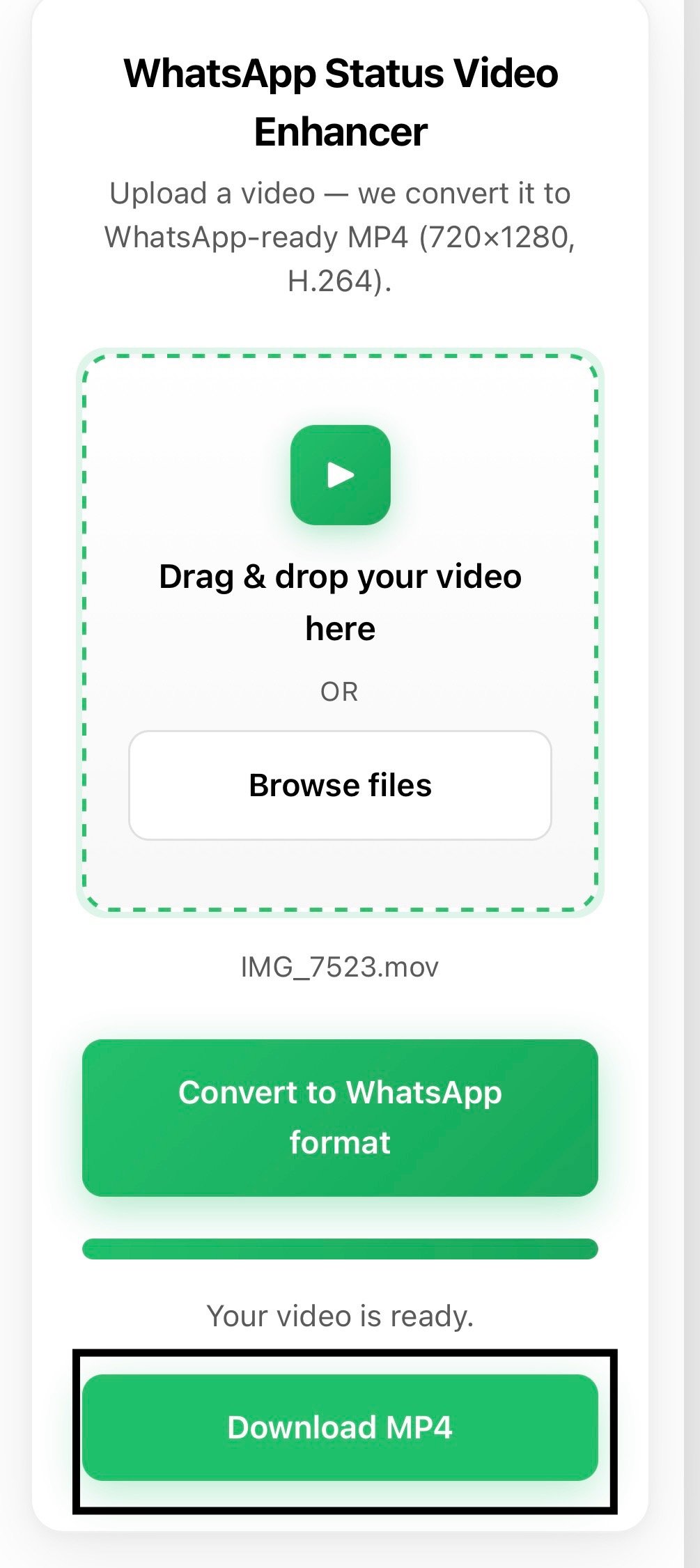
After conversion, your optimized video can be downloaded instantly. Now click on the download button to download your WhatsApp ready and saved MP4 file to your device. Optimised for WhatsApp Status size, resolution and format, you can upload it straight away without any additional editing. No watermark, no extra actions, no quality loss on downloading the video.
Supported Features
How WhatsApp Status Video Enhancer Compares to Other Video Converters
| Feature | This Tool | Basic MP4 Converter | Other Online Converters |
|---|---|---|---|
| WhatsApp-Specific Optimization | Yes | No | Rarely |
| Auto Resolution Fix (720×1280) | Yes | No | No |
| H.264 Encoding | Yes | Sometimes | Rarely |
| Drag and Drop Upload | Yes | Sometimes | Sometimes |
| Video Quality Enhancement | Yes | No | No |
| No Watermark | Yes | Varies | Varies |
| No Sign-Up Required | Yes | Varies | Varies |
| 100% Free | Yes | Varies | Varies |
| Mobile Friendly | Yes | Varies | Varies |
| Works in Browser | Yes | Sometimes | Sometimes |